Get The Yulys App
Start your job search on-the-go and
never miss
a message or job alert.
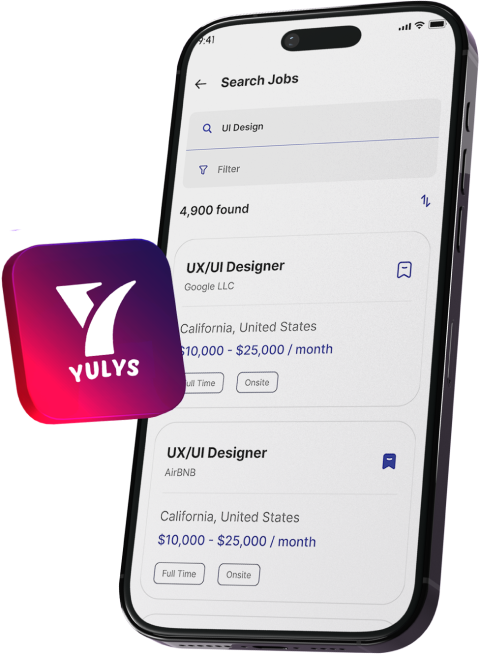
Get The Yulys App
Start your job search on-the-go and
never miss
a message or job alert.


A marketing specialist needs a landing page for a campaign. A recruiter wants a polished candidate resource. A customer success team needs an email that clearly presents important information. These employees may understand their audience and goals, but creating the digital asset can still require help from a designer or developer.
That gap is changing. Visual tools now allow more professionals to create, edit, and publish digital content without becoming programmers or professional designers.
It does not make technical specialists unnecessary. It changes which tasks require their expertise and which the people closest to the problem can handle directly.
For years, digital work followed a predictable pattern. An employee recognized a requirement, communicated it to an expert, waited for a first version, requested revisions, and finally approved the finalized item. That approach still works for complex applications, unique integrations, security systems, and additional capabilities.
Many common tasks no longer require as many handoffs. Canva lets non-designers create graphic content. Webflow gives teams more direct control over websites, while Figma enables collaborative interface creation. HubSpot and Mailchimp, for example, provide users with visual interfaces for creating campaigns.
The same shift is happening inside software products. Beefree provides an embeddable visual editor for emails, landing pages, and popups (https://developers.beefree.io/), allowing developers to give end users a simpler creation experience while retaining control over the underlying product.
This matters because the skills gap is not simply a shortage of programmers. There is also a gap between people who understand a business problem and people who can turn the solution into a digital asset. Visual tools bring those groups closer together.
A professional does not need to understand HTML, CSS, JavaScript, or application architecture to recognize that customers need a clearer landing page. Understanding the problem can be just as important as implementing the technical solution.
A marketer may know which message will resonate with an audience. A recruiter may understand what candidates need before applying. A customer success manager may know which questions repeatedly appear in support conversations. Visual tools make more of that knowledge actionable.
Employees can often create an initial version, gather feedback, and make straightforward changes themselves. That reduces handoffs while leaving complex work to specialists.
Digital proficiency is important since modern occupations rarely work inside a single tool or department. A content expert may utilize a content management system, a recruiter an application tracking system, and a marketer a variety of platforms such as analytics, email, advertising, design, and automation.
Knowing how to deal with these platforms does not qualify someone as a software engineer. It increases the employee's ability to perform in their current position. Someone who can comprehend a platform, produce a viable initial version, and effectively interact with technical professionals can frequently drive a project forward on their own.
The World Economic Forum's Future of Jobs Report 2025 identifies technological literacy as one of the skills expected to grow in importance through 2030. Creative thinking and analytical thinking are also among the capabilities employers expect to value strongly. World Economic Forum's Future of Jobs Report 2025
The biggest change is not simply that employees can complete certain tasks faster. It is that they can take ownership of more of the process.
Under a traditional workflow, a marketer might write a brief, send it to a designer, wait for a first design, request revisions, and send the approved version to development. Every handoff can introduce delays or misunderstandings.
A visual workflow can shorten that chain for appropriate tasks. The employee can create an initial version, review it against the campaign objective, collect feedback, and make basic adjustments before involving a specialist when more complex work is needed.
| Traditional workflow | Visual-first workflow |
| Employee submits a request | Employee starts the asset |
| Specialist creates the first version | Employee creates an initial version |
| Feedback moves between teams | Feedback can often be applied directly |
| Several handoffs may be required | Fewer handoffs may be required |
| Technical dependency is higher | Technical dependency can be lower |
This does not mean every task should move away from designers and developers. A better approach is to determine which tasks genuinely require specialist involvement. Developers can focus on integrations, architecture, security, performance, and complex functionality. Designers can focus on user experience, accessibility, design systems, and difficult interface problems.
As tools become easier to use, knowing how to operate a particular platform is only one part of the skill set. Professionals also need to understand the problem they are solving and the people who will use the result.
Useful capabilities include visual communication, audience awareness, basic UX knowledge, tool adaptability, process thinking, and digital collaboration. These skills become more valuable when employees can apply them directly through digital tools.
The workplace is producing more roles that sit between traditional categories. Marketing teams use analytics and automation. Customer success teams work with product data. Recruiters use specialized platforms. Operations teams create automated workflows. Product managers collaborate with engineers and designers while using prototyping and project-management tools.
This creates demand for people who can work across boundaries. The most useful employee may be the person who can identify a problem, use the right tools, communicate with specialists, and keep the work moving.
The World Economic Forum reports that 39% of workers' existing skill sets could be transformed or become outdated between 2025 and 2030, while 63% of employers identify skill gaps as a major barrier to business transformation. Most employers also expect to prioritize upskilling.
This trend has an important limit. A visual editor cannot replace a developer who understands application architecture, and a drag-and-drop interface does not eliminate the need for specialists managing complex integrations, security, performance, accessibility, or custom functionality.
In some cases, easier creation tools can make technical expertise more valuable. When employees can handle straightforward content and layout tasks themselves, developers and designers can spend more time on difficult problems where their training has the greatest impact.
The principle is familiar from tools such as Excel. Most professionals do not need to understand how spreadsheet software is engineered to use it effectively. They need to understand their data, build a useful model, and recognize when a problem requires something more advanced.
Professionals do not need to learn every new platform. A better approach is to start with tools connected to their existing work. A marketer might learn to create campaign assets independently. A recruiter could become more comfortable with candidate-facing digital content. A customer success professional could learn basic principles of page structure and user experience.
The objective is not to turn every employee into a developer or designer. It is to remove unnecessary barriers between an idea and its first usable version while preserving specialist involvement where it adds real value.
That is the more useful way to think about the changing skills gap. Technology is making some forms of digital creation easier, but the durable advantage is not knowing one particular tool. It is being able to learn, adapt, solve problems, communicate clearly, and use technology effectively.
The future skills gap will not simply be about who can code. It will increasingly be about who can combine professional knowledge with the digital tools available to them.
©YulysLLC - 2026 All Rights Reserved | Terms of Service | Privacy Policy | Data Deletion | Yulys Ads Program